79aa App for Android and iOS

79aa App: take your favorite games in your pocket and play from anywhere in Brazil

Slots, fish games, live casino, Pix withdrawals — everything available on the platform now fits in the palm of your hand. The 79aa app was designed for your on-the-go lifestyle.

Android
APK available
iOS
iPhone & iPad
79aa
Android APK
iPhone & iPad
Pix
Withdrawal via App
24h
In-App Support

Why playing on the 79aa app makes a difference

Most Brazilian players access digital entertainment platforms on mobile — and it makes sense. Your phone is always within reach, whether on a work break, on the subway, or relaxing at home on the couch. With that in mind, 79aa developed an app that delivers the same full experience as the web platform, optimized for smaller screens and mobile connections.

It is not just a scaled-down version of the site. The 79aa app loads games quickly, maintains the graphic quality of slots and the live casino, and lets you make deposits via Pix and request withdrawals without opening a browser. Everything is in one place, with a dedicated interface and dedicated support.

One thing that stands out when you start using the app is how smooth the navigation feels. The menus are straightforward, games load without freezing on regular 4G connections, and app notifications keep you updated on promotions and withdrawal status without having to check manually. For anyone already using the platform on desktop, switching to the app feels very natural.

  • Brazilian Portuguese interface, no automatic translation
  • All lobby games accessible through the app
  • Deposit and withdrawal via Pix without leaving the app
  • Promotion and transaction status notifications
  • Full betting and withdrawal history in the app
  • Chat support available directly within the app
79aa

What you can do directly from the app

From account to withdrawal, the 79aa app covers everything you need without relying on a browser.

Full Lobby Access

All games available on the platform appear in the app. Slots, fish games, live casino — the entire lobby in the palm of your hand.

Pix Deposit

Make deposits in seconds with Pix. Generate the QR code inside the app, pay through your bank and the balance appears in your account almost immediately.

Fast Withdrawal

Request withdrawals via Pix or bank transfer without accessing the website. Track your request status in real time through the app.

Real-Time Notifications

Receive alerts for promotions, available bonuses, deposit confirmations, and withdrawal status directly on your phone screen, without having to open the app every time.

Biometric Login

Log in with your fingerprint or facial recognition. More convenience and security every day, without typing your password every time you open the app.

Transaction History

View all your deposits, withdrawals and bets with dates and amounts. A complete statement available at any time, no computer needed.

Chat Support

Contact 79aa support directly through the app. Chat available to help with questions about withdrawals, bonuses or any account matter.

Enhanced Security

The app uses SSL encryption and two-factor authentication. Your information and transactions are protected throughout every gaming session.

Exclusive Bonuses

App users may have access to exclusive promotions and bonuses not available on the web version. Keep an eye on notifications so you never miss an offer.

79aa

Installing the 79aa app on your phone is simple

The installation process is straightforward. See the step-by-step guide for Android and iOS.

Android
Direct APK download
1
Go to the 79aa site via your mobile browser

Open Chrome or any browser and go to 79aa.vu.

2
Find the APK download option

On the app page, find the Android download button and tap it.

3
Allow installation from external sources

In your Android settings, allow installation of APKs from outside the Play Store. This is standard for entertainment apps distributed directly by the developer.

4
Install and open the app

Open the downloaded APK file, confirm the installation and wait. The 79aa icon will then appear on your home screen.

iOS – iPhone and iPad
Installation via Safari
1
Open Safari on your iPhone or iPad

Go to 79aa.vu via Safari. It's important to use Safari so the Add to Home Screen option works correctly.

2
Tap "Share"

Tap the share icon in the Safari bottom bar (the arrow pointing upward).

3
Select "Add to Home Screen"

Scroll the menu and tap "Add to Home Screen". Confirm the name and tap "Add".

4
Access as a native app

The 79aa icon appears on the home screen. When tapped, it opens in full screen like a native app, with no browser bar.

Minimum requirements to run the 79aa app

The app was developed to run well on most mid-range devices sold in Brazil.

Requirement Android IOS Note
Operating system Android 8.0+ IOS 13+ Older versions may have limitations
RAM 2 GB minimum 2 GB minimum 4 GB recommended for Live Casino
Free storage 120 MB 100 MB More space for game cache
Recommended connection 4G / Wi-Fi 4G / Wi-Fi 5G improves the streaming experience
Screen resolution 720p minimum Retina display Full HD offers the best visual quality
Processor Octa-core 1.8 GHz+ Apple A12+ Snapdragon 600+ or equivalent on Android
Note: Entry-level devices like the Moto E and similar phones running Android 8+ can run the app normally for slots and fish games. For Live Casino with high-definition video streaming, we recommend a Wi-Fi connection and at least 3 GB of RAM for best performance.

What is the difference between using the app and the mobile site?

This is a common question for those who already access 79aa through their mobile browser. The truth is both options work — but the app has some practical advantages that make a real difference in daily use.

In the browser, you open the site, log in, browse, and play. It works fine, but every time you close the browser you need to log in again. The app, on the other hand, saves your session, loads faster by using local cache, and sends notifications even when closed — which is very handy for knowing when a withdrawal has been processed or when a new promotion is available.

Another practical difference is biometric login. In the app, you can use your fingerprint or Face ID to access your account, without typing your username and password. It may seem like a small detail, but frequent users notice how much it speeds things up.

For players who frequently play slots or fish games, the app delivers a smoother experience, especially on 4G connections where app loading tends to be faster than through a browser. For the live casino, both options work well, but we recommend a solid connection in either case.

Biometric login Faster loading Push notifications Saved session Exclusive bonuses Native experience
79aa

All game types accessible through the 79aa app

The app does not limit your experience. The full lobby is available, including the platform's most popular titles.

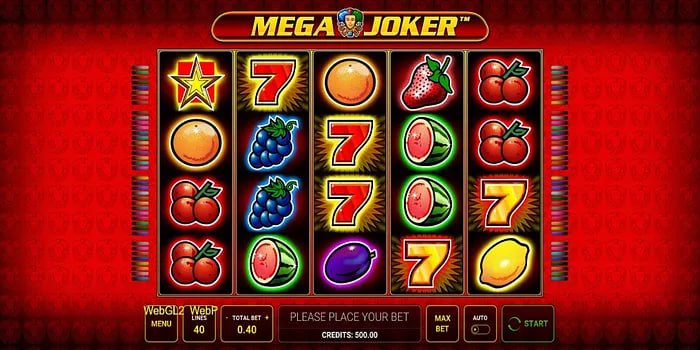
Slot Games

Hundreds of slot titles available in the app, with graphics optimized for mobile screens. They load fast even on 4G.

Fish Games

Fish games become even more fun on mobile, with controls adapted for touch screen.

Live Casino

Tables with real dealers streamed in real time. Streaming quality holds up well on stable 4G connections.

Full Lobby

All games available on the platform appear in the app, with filters by category, popularity, and new releases.

Real experiences from 79aa app users

Reviews from Brazilian players who use the app every day.

"I use the 79aa app every day on the bus. Slots load well on 4G and Pix deposits are instant. Much better than opening the site in a browser."

Rafael M.
Android User · São Paulo

"What I liked most was the biometric login. I never have to type my password anymore. And the withdrawal notifications are great — it alerts you the moment the Pix hits."

Camila T.
iOS User · Rio de Janeiro

"Fish games on mobile are on another level. Touch controls feel way more natural. The app runs smooth on my Moto G, not a single freeze."

Diego S.
Android User · Belo Horizonte

"I mostly use the Live Casino through the app. The video quality is good even on 4G and it never froze on the roulette table. The in-app support chat is also really helpful."

Fernanda L.
iOS User · Curitiba

"I installed the APK without any trouble. Followed the step-by-step guide on the site, took about 2 minutes. Since then I only use the app — much more convenient than the browser."

Bruno A.
Android User · Salvador

"The transaction history in the app is very detailed. You can see every bet and withdrawal with the date and amount. Really helps me keep track of how much I'm spending each week."

Mariana C.
iOS User · Fortaleza

Questions about the 79aa app

Straightforward answers to the most common questions about the app.

Yes, the app is completely free to download and install. There is no charge for downloading or using the app. The only costs are the deposits you choose to make to play — the app itself has no subscription fee or access charge.

No. If you already have a 79aa account, simply use the same username and password in the app. Your account, balance, history, and bonuses are all synced automatically. If you do not have an account yet, you can create one directly in the app when you first install it.

Yes. The 79aa app works normally on 4G for slots and fish games. For the live casino, which streams video in real time, we recommend a more stable connection — preferably Wi-Fi or 4G with good coverage. On 3G, the experience may be affected depending on signal quality.

The official 79aa APK is provided directly from the platform's website, ensuring you are downloading the original file. Downloading APKs from unknown sources or third-party sites is not recommended. Always visit 79aa.vu to make sure you are installing the legitimate version of the app.

Yes. The app lets you request Pix withdrawals without accessing the website. Go to the wallet section inside the app, enter your registered Pix key, and submit the withdrawal request. The transaction status appears in real time in the app's notifications.

Yes. The app is compatible with Android tablets and iPad. The interface adapts to larger screens, which especially enhances the experience in the live casino and fish games, which benefit from more screen space. System requirements are the same as for smartphones.

After installing and logging in for the first time with your username and password, go to the account settings inside the app. There you will find the option to enable biometric login. The app will use the fingerprint or Face ID already set up on your device — no new registration is required.

On iOS, updates can be set to automatic in system settings. On Android, since the app is installed via APK, you will receive a notification inside the app itself when a new version is available. Simply follow the link provided to download and install the update from the official 79aa website.

Start playing on the 79aa app today

Create your account, make your first deposit via Pix and enjoy all the games available on 79aa directly from your phone, wherever and whenever you want.

Responsible Gaming: Games available on 79aa are a form of digital entertainment. There is no guarantee of financial return. Play only with amounts you can afford, set limits, and visit our Responsible Gaming if you need guidance. Platform available to users aged 18 and over only.
Português (Brasil)